MODEL: STC- G42NG INSTRUCTION MANUAL
←
→
Transcription du contenu de la page
Si votre navigateur ne rend pas la page correctement, lisez s'il vous plaît le contenu de la page ci-dessous
INSTRUCTION
MANUAL
MODEL:
STC-‐G42NG
www.stealthcam.com Page 2 877-‐269-‐8490
**IMPORTANT
NOTE**
To
ensure
the
product
is
being
utilized
to
its
full
potential,
we
recommend
checking
our
website
for
new
product
updates.
If
your
unit
is
having
trouble,
please
check
the
website
to
determine
you
are
using
the
latest
firmware
or
software
version.
TECHNICAL
SUPPORT
CUSTOMER
SERVICE
EMAIL:
Stealthcam@gsmorg.com
CONTACT
&
HOURS
Please
allow
48
hours
for
email
response.
Toll
Free:
877-‐269-‐8490
STEALTHCAM
LLC
CALL
CENTER
HOURS
P.O.
Box
535189
Mon
–
Fri
/
8
AM
–
5
PM
(CST)
Grand
Prairie,
TX
75053-‐9504
www.stealthcam.com
Page
3
877-‐269-‐8490
TABLE
OF
CONTENTS
Camera
Overview
5
Quick
Start
Guide
7
General
Information
8
Camera
Programming
9
Quick
Set
1
(Q1)
9
Quick
Set
2
(Q2)
9
Quick
Set
3
(Q3)
9
Custom
Settings
10
Test
Mode
20
Memory
Card
Installation
21
Formatting
22
Image
Capacity
Chart
21
Battery
Removal
&
Installation
23
View
and
Deleting
files
24
Definitions
25
Frequently
Asked
Questions
(FAQs)
27
FCC
Compliance
29
Limited
Warranty
Information
30
www.stealthcam.com
Page
4
877-‐269-‐8490
CAMERA
OVERVIEW
Front
Front
Open
Close
Bottom
www.stealthcam.com
Page
5
877-‐269-‐8490
CAMERA
OVERVIEW
(CONT)
Side
Back
Battery
www.stealthcam.com
Tray
Page
6
877-‐269-‐8490
QUICK
START
GUIDE
Power
Options
(Select
one)
1. Insert
8
‘AA’
batteries
into
the
Battery
Tray.
Slide
Battery
Tray
into
the
bottom
of
the
G42NG
camera
until
it
is
secured.
(See
page
23
for
more
details)
2. Connect
12V
Battery
Box
to
the
bottom
of
the
unit
under
the
AUX
POWER
12V
DC
gasket.
Memory
Insert
a
clean
Class
10
SD
memory
card,
between
2GB
and
32GB
into
memory
card
slot.
Memory
card
must
be
inserted
in
the
correct
orientation
until
spring
lock
mechanism
engages.
(See
page
21
for
more
details)
Mount
Camera
Mount
the
camera
at
the
desired
location
using
the
strap
mount,
Python
Lock
cable,
Articulating
Ball
Joint
Mount,
or
other
desired
mounting
mechanism.
Position
the
camera
so
that
it
does
not
face
East
or
West
directly
as
the
rising
and
setting
of
the
sun
can
cause
false
positive
triggers.
Activation
Move
the
slide
switch
to
the
desired
activation
programming:
Position
Settings
Details
on
Page
Q1
8MP
–
30
Sec
Time
Out
–
3
Images
9
Q2
8MP
–
30
Sec
Time
Out
–
1
Image
9
Q3
10
Sec
HD
Video
–
30
Sec
Time
Out
9
CUSTOM
5MP
–
5
Sec
Time
Out
–
1
Image
(Default)
10
www.stealthcam.com
Page
7
877-‐269-‐8490
GENERAL
INFORMATION
Storing
conditions
• Operating
Environment:
14
to
104
deg
F
(-‐10
to
40
deg
C).
20-‐85%
relative
humidity,
non-‐condensing.
Special
care
instructions!!
• The
camera
is
designed
to
be
weather
resistant.
Never
attempt
to
immerse
the
unit
in
water
or
any
other
liquid.
This
will
damage
the
unit
and
void
the
warranty.
• Do
not
mix
old
and
new
batteries.
• Do
not
mix
alkaline,
standard,
or
rechargeable
batteries.
• Use
a
soft
lens
cloth
for
cleaning
lens.
Avoid
touching
lens
with
fingers.
• Remove
dirt
or
stains
with
a
soft
cloth
dampened
with
water
or
neutral
detergent.
Keep
your
camera
in
a
dry
and
cool
dust-‐free
environment
or
container
when
it
is
NOT
used.
• Remove
batteries
when
camera
is
NOT
in
use
for
an
extended
period
of
time.
• Avoid
dropping
your
camera
on
to
a
hard
surface.
• Do
not
disassemble
your
camera.
• Do
not
mix
new
and
old
batteries.
• Do
not
access
the
camera’s
internal
components
compartment
for
unauthorized
service,
as
this
could
cause
serious
damage
to
the
unit
and
WILL
void
the
warranty.
NOTE:
This
camera
is
a
precision
electronic
device.
Do
not
attempt
to
service
this
camera
yourself,
as
opening
or
removing
covers
may
expose
you
to
dangerous
voltage
points
or
other
risks.
www.stealthcam.com
Page
8
877-‐269-‐8490
CAMERA
PROGRAMMING
This
G42NG
features
6
distinct
modes
of
operation:
Off
/
Q1
/
Q2
/Q3
/
Custom
/
Test.
Each
setting
is
activated
based
upon
the
position
of
the
switch
on
the
inside
of
the
unit.
Off
–
This
position
completely
powers
down
the
unit.
Q1
–
This
is
the
first
Quick
Set
programming
mode.
When
the
camera
is
changed
to
the
this
mode,
the
display
screen
will
give
a
digital
read
out
of
how
the
camera
is
preprogrammed.
It
will
scroll
across
the
display
as
follows:
PHOTO…8.0MP…30
S
DELAY…3
PHOTO
BURST
With
this
setting
the
camera
is
preprogrammed
to
take
photos
at
8MP
resolution,
a
30
second
timeout
delay
between
activations
and
takes
a
burst
of
3
photos
every
trigger
activation.
Q2
–
This
is
the
second
Quick
Set
programming
mode.
This
setting
is
preprogrammed
to
take
photos
as
8MP
resolution,
30-‐second
timeout
delay
and
take
a
single
photo
per
trigger
activation.
Q3
–
This
is
the
third
Quick
Set
programming
mode.
This
setting
the
camera
is
preprogrammed
to
take
a
720P
HD
Video
with
audio,
have
a
30
second
timeout
delay
between
activations,
and
each
video
will
be
10
seconds
in
length.
www.stealthcam.com
Page
9
877-‐269-‐8490
CAMERA
PROGRAMMING
–
CUSTOM
(CONT)
Custom
–
This
is
the
fifth
setting
and
is
defined
by
the
user.
When
the
camera
is
changed
to
this
mode,
the
display
screen
will
reflect
the
last
program
setting:
Number
of
images
on
the
memory
card,
Countdown
timer
and
Battery
percentage.
PHOTO
00000
00:30
100%
The
system
default
programming
is
set
to
5MP,
5-‐second
timeout
delay
and
1
Photo
Burst.
The
30-‐second
timer
on
the
lower
left
of
the
display
will
count
down
towards
0
showing
how
much
time
is
left
to
enter
the
Custom
configuration
mode.
Should
no
change
be
made,
the
system
will
give
an
additional
30
seconds
for
the
operator
to
move
out
of
the
coverage
area
before
the
camera
becomes
active.
To
make
changes
to
the
programming,
press
the
MENU
button
to
enter
the
configuration
menu
before
the
countdown
reaches
zero.
When
in
the
MENU
configuration,
pressing
the
DOWN
arrow
button
will
move
the
configuration
to
the
next
setting
option.
Pressing
the
ENTER
button
on
the
listed
configuration
option
will
cause
the
option
to
blink
and
allow
it
to
be
changed.
Pressing
ENTER
again
once
an
option
has
been
changed
will
set
the
new
configuration,
save
it
to
the
camera’s
memory,
and
return
to
selection
section
of
the
MENU
configuration.
Once
all
the
settings
have
been
changed
to
the
operator’s
desired
settings
pressing
the
MENU
button
will
return
to
the
initial
display
and
the
30-‐second
timer
will
start
the
countdown
again.
The
following
are
the
options
and
descriptions
of
how
to
change
the
configuration:
www.stealthcam.com
Page
10
877-‐269-‐8490
CAMERA
PROGRAMMING
–
CUSTOM
(CONT)
Ø SETUP
DATE
–
01/01/14
(default):
This
setting
is
used
to
give
the
camera
the
correct
date
to
use
on
the
Info
Bar
of
the
images.
The
format
is
in
a
MM/DD/YY
setup.
With
the
MM
(month)
setting
blinking,
use
the
UP
and
DOWN
arrows
to
be
change
the
setting
from
1
to
12.
Once
this
setting
is
on
the
appropriate
month,
press
the
RIGHT
arrow
key
to
move
to
the
DD
(day)
setting
and
it
will
start
to
blink.
Using
the
UP
and
DOWN
arrows
will
allow
the
setting
to
be
change
from
1
to
31
based
upon
the
MM
that
has
previously
set.
Again
when
this
setting
is
on
the
appropriate
day,
press
the
RIGHT
arrow
key
to
move
to
the
YY
(year)
setting
and
it
will
start
to
blink.
Using
the
UP
and
DOWN
arrows
will
allow
the
setting
to
be
changed
from
14
to
35.
Ø SETUP
TIME
–
12:00AM
(default):
This
setting
is
used
to
give
the
camera
the
correct
time
to
use
on
the
Info
Bar
of
the
images.
The
default
format
is
in
a
HH/MM/AP
setup.
With
the
HH
(hour)
setting
blinking,
use
the
UP
and
DOWN
arrows
to
change
from
1
to
12.
Once
this
setting
is
on
the
appropriate
hour,
press
the
RIGHT
arrow
key
to
move
to
the
MM
(minute)
setting
and
it
will
start
to
blink.
Using
the
UP
and
DOWN
arrows
will
allow
the
setting
to
be
change
from
00
to
59.
Again
when
this
setting
is
on
the
appropriate
minute,
press
the
RIGHT
arrow
key
to
move
to
the
AP
(am/pm)
setting
and
it
will
start
to
blink.
Using
the
UP
and
DOWN
arrows
will
allow
the
setting
to
be
changed
from
AM
to
PM.
www.stealthcam.com
Page
11
877-‐269-‐8490
CAMERA
PROGRAMMING
-‐
CUSTOM
(CONT)
Ø TIME
FORMAT
–
12
HOUR
(default):
This
setting
is
used
to
tell
camera
if
the
time
programmed
and
displayed
on
the
Info
Bar
should
be
in
the
basic
12
hour
(AM/PM)
format
or
the
24
hour
(military)
format.
With
this
option
blinking,
pressing
the
UP
or
DOWN
arrow
buttons
will
cause
the
camera
to
cycle
between
the
two
options.
NOTE:
Should
the
format
be
changed
to
24
hour,
the
previous
SETUP
TIME
will
now
be
adjusted
as
such
and
remove
the
AM/PM
part
of
the
time.
Ø MODE
–
This
setting
is
used
to
tell
the
camera
how
it
should
take
its
images.
The
camera
is
equipped
with
TRIAD
Technology,
allowing
for
3
different
options
to
be
selected
by
the
user.
With
this
option
blinking,
use
the
UP
or
DOWN
arrow
key
to
move
between
the
options
of:
PIR
PHOTO,
PIR
VIDEO,
or
TL.
Based
upon
the
selection
chosen
the
menus
for
the
camera
will
change.
o PIR
PHOTO
(default):
In
this
mode
the
camera
will
take
a
designated
amount
of
picture
with
a
designated
time
out
when
the
camera
senses
activity
in
front
of
the
unit.
This
mode
is
available
for
both
day
and
night
activities.
§ PHOTO
RES
–
5.0
MP
(default):
This
setting
is
used
to
determine
the
Megapixel
resolution
of
each
image
taken
by
the
camera.
With
this
option
blinking,
use
the
UP
or
DOWN
arrow
key
to
move
between
the
options
of:
10MP,
8MP,
4MP,
2MP
or
0.5MP.
The
higher
the
resolution
of
an
image
the
more
space
the
file
will
take
on
the
SD
memory
card.
PIR
DELAY
–
00min
05sec
(default):
This
setting
is
used
to
determine
the
length
of
the
time
that
the
camera
will
wait
before
it
reinitializes
its
PIR
sensor
for
the
next
activation.
With
the
TL
mode
this
setting
is
only
active
if
TL
Delay
is
set
to
1
min
or
greater.
This
setting
can
be
changed
between
the
numbers
of
00min
05sec
to
59min
59sec.
With
this
option
blinking,
use
of
the
UP
and
DOWN
arrows
will
allow
the
minutes
setting
to
be
changed
from
00
to
59.
Once
this
setting
is
on
the
appropriate
minutes,
press
the
RIGHT
arrow
key
to
move
to
the
seconds
setting
and
it
will
start
to
blink.
Use
of
the
UP
and
Down
arrows
will
allow
the
seconds
setting
to
be
changed
from
00
to
59
(05
to
59
if
minutes
=
00).
www.stealthcam.com
Page
12
877-‐269-‐8490
CAMERA
PROGRAMMING
-‐
CUSTOM
(CONT)
§ REDUCE
BLUR
–
ON:
This
setting
is
used
to
determine
if
the
camera
should
use
the
MATRIX
Blur
reduction
technology
to
dramatically
reduce
the
blur
effect
resulting
in
clearer
night
time
infrared
shots.
With
this
option
blinking,
pressing
the
UP
or
DOWN
arrow
buttons
will
cause
the
camera
to
cycle
between
the
two
options
of
ON
or
OFF.
§ PHOTO
BURST
–
1
PHOTO
(default):
This
setting
is
used
to
determine
the
number
of
photos
the
camera
will
take
during
its
activation.
This
setting
can
be
changed
between
1
PHOTO
up
to
9
PHOTOS.
With
this
option
blinking,
use
the
UP
or
DOWN
arrow
key
to
move
between
the
value
range
in
increments
of
1.
o PIR
VIDEO:
In
this
mode
the
camera
will
take
a
video
clip
at
a
designated
resolution
for
a
designated
length
with
a
designated
time
out
when
the
camera
senses
activity
in
front
of
the
unit.
This
mode
is
available
for
both
day
and
night
activities.
§ PIR
DELAY
–
00min
05sec
(default):
This
setting
is
used
to
determine
the
length
of
the
time
that
the
camera
will
wait
before
it
reinitializes
its
PIR
sensor
for
the
next
activation.
With
the
TL
mode
this
setting
is
only
active
if
TL
Delay
is
set
to
1
min
or
greater.
This
setting
can
be
changed
between
the
numbers
of
00min
05sec
to
59min
59sec.
With
this
option
blinking,
use
of
the
UP
and
DOWN
arrows
will
allow
the
minutes
setting
to
be
changed
from
00
to
59.
Once
this
setting
is
on
the
appropriate
minutes,
press
the
RIGHT
arrow
key
to
move
to
the
seconds
setting
and
it
will
start
to
blink.
Use
of
the
UP
and
Down
arrows
will
allow
the
seconds
setting
to
be
changed
from
00
to
59
(05
to
59
if
minutes
=
00).
www.stealthcam.com
Page
13
877-‐269-‐8490
CAMERA
PROGRAMMING
-‐
CUSTOM
(CONT)
§ VIDEO
RES
–
720
x
480
(default):
This
setting
is
used
to
determine
the
resolution
of
each
video
taken
by
the
camera.
With
this
option
blinking,
use
the
UP
or
DOWN
arrow
key
to
move
between
the
options
of:
720
x
480
or
1280
x
720.
The
higher
the
resolution
of
a
video
the
more
space
the
file
will
take
on
the
SD
memory
card.
§ VIDEO
LENGTH
–
010
S
(default):
This
setting
is
used
to
determine
the
length
of
time,
in
seconds,
of
the
video
recording.
This
setting
can
be
changed
between
the
numbers
of
10
to
180.
With
this
option
blinking,
use
the
UP
or
DOWN
arrow
key
to
move
between
the
value
range
in
increments
of
5.
The
maximum
night
video
is
30
seconds
to
conserve
the
batteries.
§ VIDEO
AUDIO
–
ON
(default):
This
setting
is
used
to
determine
if
the
camera
should
record
audio
(sound)
with
its
video
recording.
With
this
option
blinking,
pressing
the
UP
or
DOWN
arrow
buttons
will
cause
the
camera
to
cycle
between
the
two
options
of
ON
or
OFF.
o TL
(Time
Lapse):
In
this
mode
the
camera
will
take
a
designated
amount
of
pictures
with
a
designated
time
out
between
the
designated
hours
of
operation
even
if
there
is
no
activity
in
front
of
the
camera.
§ PHOTO
RES
–
5.0
MP
(default):
This
setting
is
used
to
determine
the
Megapixel
resolution
of
each
image
taken
by
the
camera.
With
this
option
blinking,
use
the
UP
or
DOWN
arrow
key
to
move
between
the
options
of:
10MP,
8MP,
5MP,
2MP
or
0.5MP.
The
higher
the
resolution
of
an
image
the
more
space
the
file
will
take
on
the
SD
memory
card.
www.stealthcam.com
Page
14
877-‐269-‐8490
CAMERA
PROGRAMMING
-‐
CUSTOM
(CONT)
§ PIR
DELAY
–
00min
05sec
(default):
This
setting
is
used
to
determine
the
length
of
the
time
that
the
camera
will
wait
before
it
reinitializes
its
PIR
sensor
for
the
next
activation.
With
the
TL
mode
this
setting
is
only
active
if
TL
Delay
is
set
to
1
min
or
greater.
This
setting
can
be
changed
between
the
numbers
of
00min
05sec
to
59min
59sec.
With
this
option
blinking,
use
of
the
UP
and
DOWN
arrows
will
allow
the
minutes
setting
to
be
changed
from
00
to
59.
Once
this
setting
is
on
the
appropriate
minutes,
press
the
RIGHT
arrow
key
to
move
to
the
seconds
setting
and
it
will
start
to
blink.
Use
of
the
UP
and
Down
arrows
will
allow
the
seconds
setting
to
be
changed
from
05
to
59
(05
to
59
if
minutes
=
00).
• TL
DELAY
–
00min
30sec
(default):
This
setting
is
used
to
set
a
delay
between
TIME
LAPSE
images.
This
setting
can
be
changed
between
the
numbers
of
00min
05sec
to
59min
59sec.
With
this
option
blinking,
use
of
the
UP
and
DOWN
arrows
will
allow
the
minutes
setting
to
be
changed
from
00
to
59.
Once
this
setting
is
on
the
appropriate
minutes,
press
the
RIGHT
arrow
key
to
move
to
the
seconds
setting
and
it
will
start
to
blink.
Use
of
the
UP
and
Down
arrows
will
allow
the
seconds
setting
to
be
changed
from
00
to
59
(05
to
59
if
minutes
=
00).
If
the
TL
Delay
is
greater
than
or
equal
to
1
min,
then
the
PIR
sensor
will
be
active
between
time-‐lapse
photos.
• TL
START
–
06:00PM
(default):
This
setting
is
used
to
give
the
camera
the
start
time
for
when
to
start
the
time-‐lapse
photography.
The
default
format
is
in
a
HH/MM/AP
setup,
should
the
time
format
be
in
24
hour
the
format
it
will
show
HH/MM.
With
the
HH
(hour)
setting
blinking,
use
the
UP
and
DOWN
arrows
to
allow
the
setting
to
be
changed
from
1
to
12.
Once
this
setting
is
on
the
appropriate
hour,
press
the
RIGHT
arrow
key
to
move
to
the
MM
(minute)
setting
and
it
will
start
to
blink.
www.stealthcam.com
Page
15
877-‐269-‐8490
CAMERA
PROGRAMMING
-‐
CUSTOM
(CONT)
Using
the
UP
and
DOWN
arrows
will
allow
the
setting
to
be
change
from
00
to
59.
Again
when
this
setting
is
on
the
appropriate
minute,
press
the
RIGHT
arrow
key
to
move
to
the
AP
(am/pm)
setting
and
it
will
start
to
blink.
Using
the
UP
and
DOWN
arrows
will
allow
the
setting
to
be
changed
from
AM
to
PM.
§ TL
STOP
–
08:00AM
(default):
This
setting
is
used
to
give
the
camera
the
stop
time
for
when
to
end
the
time-‐lapse
photography.
The
default
format
is
in
a
HH/MM/AP
setup,
should
the
time
format
be
in
24
hour
the
format
will
be
HH/MM.
With
the
HH
(hour)
setting
to
blinking,
use
the
UP
and
DOWN
arrows
to
allow
the
setting
to
be
changed
from
1
to
12.
Once
this
setting
is
on
the
appropriate
hour,
press
the
RIGHT
arrow
key
to
move
to
the
MM
(minute)
setting
and
it
will
start
to
blink.
Using
the
UP
and
DOWN
arrows
will
allow
the
setting
to
be
change
from
00
to
59.
Again
when
this
setting
is
on
the
appropriate
minute,
press
the
RIGHT
arrow
key
to
move
to
the
AP
(am/pm)
setting
and
it
will
start
to
blink.
Using
the
UP
and
DOWN
arrows
will
allow
the
setting
to
be
changed
from
AM
to
PM.
§ REDUCE
BLUR
–
ON:
This
is
used
to
determine
if
the
camera
should
use
the
MATRIX
Blur
reduction
technology
to
dramatically
reduce
the
blur
effect
resulting
in
clearer
night
time
infrared
shots.
With
this
option
blinking,
press
UP/DN
arrows
will
cause
the
camera
to
cycle
between
On/Off.
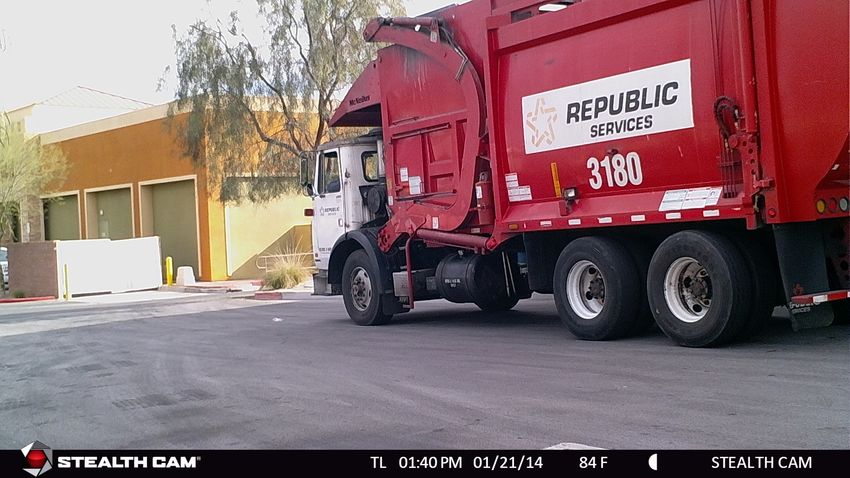
EXAMPLE:
Data
Stamping
on
the
bottom
portion
of
the
picture
indicates
the
camera
took
a
picture
in
Time
Lapse
(TL)
mode.
www.stealthcam.com
Page
16
877-‐269-‐8490
CAMERA
PROGRAMMING
-‐
CUSTOM
(CONT)
Ø CAMERA
NAME
–
STEALTH
CAM
(default):
This
setting
is
used
to
identify
the
camera
on
the
Info
Bar.
It
can
be
up
to
13
characters
long
in
the
form
of
alpha
(A-‐Z),
numeric
(0-‐9),
or
spaces.
With
this
option
blinking,
use
the
UP
or
DOWN
arrow
buttons
to
change
the
initial
character.
Once
the
blinking
character
has
been
changed,
use
the
RIGHT
arrow
button
to
continue
to
the
next
character.
Repeat
until
the
desired
name
is
entered.
When
finished
press
the
ENTER
button
again
to
confirm
and
store
the
new
camera
name.
Pressing
the
DOWN
arrow
key
will
move
the
display
to
the
next
configuration
option.
Ø TEMPERATURE
–
FAHRENHEIT
(default):
This
setting
is
used
to
tell
camera
if
the
temperature
reading
on
the
Info
Bar
should
be
in
Fahrenheit
or
Celsius.
With
this
option
blinking,
pressing
the
UP
or
DOWN
arrow
buttons
will
cause
the
camera
to
cycle
between
the
two
options.
Ø INFO
BAR
–
ON
(default):
This
setting
is
used
to
tell
camera
if
the
Info
Bar
should
be
displayed
at
the
bottom
of
images
and
video
or
not.
With
this
option
blinking,
pressing
the
UP
or
DOWN
arrow
buttons
will
cause
the
camera
to
cycle
between
the
two
options
of
ON
or
OFF.
Ø LATITUDE
–
000.000000N
(default):
This
setting
is
used
for
the
GEO-‐TAG
of
the
camera.
It
will
not
be
displayed
on
the
images
directly,
but
rather
on
the
background
image
information.
The
coordinates
can
be
changed
from
000.000000
to
179.999999
www.stealthcam.com
Page
17
877-‐269-‐8490
CAMERA
PROGRAMMING
-‐
CUSTOM
(CONT)
and
either
N
(North)
or
S
(South).
With
this
option
blinking,
use
the
UP
or
DOWN
arrow
buttons
to
change
the
initial
number
blinking.
Once
the
number
is
correct
use
the
RIGHT
arrow
button
to
continue
to
the
next
value.
Repeat
until
the
final
desired
numeric
sequence
is
entered.
Ø LONGITUDE
–
000.000000E
(default):
This
setting
is
used
for
the
GEO-‐TAG
of
the
camera.
It
will
not
be
displayed
on
the
images
directly,
but
rather
on
the
background
image
information.
The
coordinates
can
be
changed
from
000.000000
to
179.999999
and
either
E
(East)
or
W
(West).
With
this
option
blinking,
use
the
UP
or
DOWN
arrow
buttons
to
change
the
initial
number
blinking.
Once
the
number
is
correct
use
the
RIGHT
arrow
button
to
continue
to
the
next
value.
Repeat
until
the
final
desired
numeric
sequence
is
entered.
Ø FACTORY
RESET
–
NO
(default):
This
setting
is
used
to
reset
the
camera
to
its
factory
defaults.
With
this
option
blinking,
pressing
the
UP
or
DOWN
arrow
buttons
will
cause
the
camera
to
cycle
between
the
two
options
of
NO
or
YES.
When
the
YES
option
is
chosen
and
the
ENTER
button
is
press
the
camera
will
default
all
configurations
made
up
to
this
point.
SECURITY
KEY
–
OFF
(default):
This
setting
allows
the
owner
of
the
camera
to
program
a
four
(4)
character
alphanumeric
code
to
keep
unauthorized
people
from
accessing
their
camera
settings.
To
turn
this
feature
on
press
the
ENTER
button,
then
press
the
UP
or
DOWN
arrow
buttons
to
change
to
the
YES
option.
Once
chosen,
www.stealthcam.com
Page
18
877-‐269-‐8490
CAMERA
PROGRAMMING
-‐
CUSTOM
(CONT)
press
the
ENTER
button
and
the
camera
will
now
engage
this
feature.
Pressing
the
DOWN
arrow
key
will
move
to
the
security
key
configuration.
o SECURITY
KEY
–
0000
(default):
To
change
the
key
to
an
owner
operated
one
press
the
ENTER
button.
With
this
option
blinking,
use
the
UP
or
DOWN
arrow
buttons
change
the
first
digit
to
the
preferred
number
or
letter.
Then
using
the
LEFT
button,
move
to
the
second
digit
and
change
it
to
the
preferred
number
or
letter
as
well.
Continue
this
until
all
4
digits
are
correctly
set.
Finally
press
the
ENTER
button
to
secure
the
new
code.
NOTE:
The
camera
owner
is
responsible
for
remembering
the
code.
Should
the
code
be
forgotten
the
owner
must
call
in
to
Customer
Service
(877-‐269-‐8490)
for
directions
on
getting
the
unit
restored
to
factory
default.
In
order
for
the
owner
to
be
authorized
for
the
reset,
this
camera
must
be
registered
with
StealthCam.
FORMAT
CARD
–
NO
(default):
This
setting
is
used
to
format
the
SD
memory
card
installed.
With
this
option
blinking,
pressing
the
UP
or
DOWN
arrow
buttons
will
cause
the
camera
to
cycle
between
the
two
options
of
NO
or
YES.
When
the
YES
option
is
chosen
and
the
ENTER
button
is
press
the
camera
will
format
the
card,
deleting
any
previous
information
that
was
on
the
card.
Pressing
the
DOWN
arrow
key
will
move
the
display
back
to
the
starting
option
of
SETUP
DATE.
(See
page
22
for
more
details.)
www.stealthcam.com
Page
19
877-‐269-‐8490
CAMERA
PROGRAMMING
Ø TEST
–
This
is
the
final
switch
setting,
and
is
used
to
test
the
camera’s
PIR
sensor
coverage
area.
When
moved
to
this
setting
the
display
will
display:
TEST
VXX.XX.XX
The
number
listed
at
the
bottom
of
the
display
shows
the
current
version
of
the
firmware
that
is
installed
on
the
camera.
Please
check
the
StealthCam
website
to
see
if
any
firmware
updates
are
available.
When
in
this
mode
the
Test
Mode
light
will
blink
green
when
the
camera
detects
motion.
This
will
help
determine
if
the
camera
is
positioned
at
a
location
that
will
sense
motion
as
it
passes
by
causing
the
camera
to
activate
in
its
PIR
and
video
mode.
www.stealthcam.com
Page
20
877-‐269-‐8490
MEMORY
CARD
INSTALLATION
To
insert
the
SD
memory
card
into
the
camera:
first
locate
the
SD
card
slot
on
the
right
hand
side
of
the
of
the
camera
case.
Next
with
the
SD
card
label
facing
towards
the
front
of
the
camera,
insert
the
SD
card.
When
the
card
has
been
pressed
in
fully
there
will
be
a
noticeable
resistance
as
the
spring
locking
mechanism
activates
to
hold
on
the
SD
card.
No
force
should
be
required
to
insert
the
card,
should
it
feel
as
though
the
card
will
not
freely
slide
into
the
slot,
remove
the
card
and
check
for
any
obstructions.
IMAGE
CAPACITY
CHART
10MP
8MP
5MP
2MP
0.5MP
10sec
HD
Video
2GB
SD
CARD
307
384
1333
1536
6144
68
4GB
SD
CARD
614
768
2666
3072
12288
136
8GB
SD
CARD
1226
1536
5333
6144
24576
272
16GB
SD
CARD
2456
3072
10666
12288
49152
544
32GB
SD
CARD
4912
6144
21333
24576
98304
1088
*Number
of
images/videos
is
approximate
and
subject
to
change
based
upon
subject
footage.
*NOTE:
For
best
results
use
cards
with
designation
on
memory
cards
4GB
or
higher.
www.stealthcam.com
Page
21
877-‐269-‐8490
MEMORY
CARD
(CONT)
FORMATTING
SD
CARD
It
always
best
to
format
your
SD
cards
from
the
actual
device
your
using,
in
this
case
the
camera.
This
will
allow
the
camera
to
format
the
card
in
the
proper
fashion.
1. First
insert
your
SD
memory
card
into
the
camera.
2. Slide
the
switch
to
the
Custom
setting.
3. Press
the
Menu.
4. Press
the
Up
Arrow
once.
The
display
will
show
“Format
Card
–
No”
5. Press
the
Enter
button.
The
word
“No”
will
start
to
blink.
6. Press
the
Down
Arrow
once.
The
word
“Yes”
will
start
blinking.
7. Press
the
Enter
button
to
delete
and
format
the
card.
The
display
will
read
“Format
Card
-‐
Deleting….”
8. Once
the
card
has
been
formatted
the
screen
will
go
back
to
read
“Format
Card
–
No”
9. Press
the
Menu
key
to
return
back
to
ready
mode.
www.stealthcam.com
Page
22
877-‐269-‐8490
BATTERY
REMOVAL
&
INSTALLATION
To
remove
the
batteries
from
the
unit;
open
the
case
and
press
the
EJECT
button
on
the
lower
right
hand
corner.
This
will
cause
the
battery
tray
to
be
released
and
slide
downwards.
New,
Alkaline
or
Lithium,
‘AA’
batteries
must
be
inserted
with
the
orientation
as
shown
on
the
tray.
As
with
most
electronic
devices
the
negative
(
-‐
)
orientation
of
the
batteries
should
be
against
the
springs.
Failure
to
insert
the
batteries
properly
will
cause
damage
to
the
unit.
To
reinsert
the
battery
tray;
position
the
tray
so
the
base
of
the
tray
matches
with
the
opening
at
the
bottom
of
the
camera.
The
tray
is
notched
so
that
incorrect
insertion
of
the
battery
tray
is
not
possible.
With
the
orientation
correct
simply
slide
the
battery
tray
into
its
final
locked
position.
Should
the
battery
tray
not
willingly
slide
into
it
destination,
remove
the
tray
and
examine
the
area
of
possible
debris
that
may
be
causing
the
issue.
NOTE:
Replacing
the
batteries
will
not
reset
the
cameras
current
configurations.
**WARNING**
Do
not
mix
new
and
old
batteries.
Remove
batteries
from
the
tray
if
the
unit
will
not
be
in
use
for
extended
period
of
time.
www.stealthcam.com
Page
23
877-‐269-‐8490
VIEW
&
DELETING
IMAGES
The
camera
allows
for
two
(2)
ways
to
view
your
images.
First
is
the
direct
connection
for
the
camera
to
the
computer
via
a
USB
cable
(not
included).
This
is
a
USB
mini
to
standard
USB
(type
A/B)
cable.
By
simply
turning
the
unit
to
the
OFF
position,
and
plugging
the
USB
mini
end
into
the
camera
and
the
standard
USB
end
into
the
computer,
the
computer
will
register
the
camera
as
a
card
reading
device.
Once
connection
with
the
computer
has
been
established
the
files
may
be
review
based
upon
the
software
installed
on
the
computer.
Please
refer
to
the
software’s
Owner’s
Manual
for
exact
viewing
of
images.
NOTE:
Support
for
this
operation
is
limited
to
but
not
exclusive
to
the
Windows
Vista
operating
system
and
above,
and
also
the
Mac
OS
10.6
and
above.
Any
operating
systems
below
the
above-‐mentioned
are
not
guaranteed
to
be
compatible
and
may
result
in
system
errors.
The
second
option
is
to
remove
the
SD
memory
card
from
the
camera,
and
using
a
card
reading
device
to
view
the
images.
Please
refer
to
the
Owner’s
Manual
for
the
particular
device
in
use
for
viewing
the
files.
NOTE:
SD
memory
card
viewers
not
manufactured
by
Stealth
Cam
may
create
conflicts
on
the
memory
card.
Should
this
occur
and
the
card
is
no
longer
working
properly
with
the
unit,
the
SD
memory
card
will
need
to
be
reformatted.
www.stealthcam.com
Page
24
877-‐269-‐8490
DEFINITIONS
REFLEX
(Advanced
Low-‐Light
Sensitivity)
–
Ultra-‐fast
trigger
speed,
averaging
<
1
second
with
recovery
times
programmable
as
low
as
5
seconds.
MATRIX
(Blur
Reduction
Technology)
–
Advanced
blur
reduction
dramatically
reduces
blur
effects
resulting
in
sharper,
clearer
images.
RETINA
(Sub
1-‐Second
Trigger)
–
Superior
low
light
performance
for
extended
nighttime
range.
MULTI-‐ZONE
DETECTION
-‐
Provides
for
more
accurate
coverage
at
angle
&
distance,
maximizing
the
cameras
triggering
capability.
TRIAD
(3-‐in-‐1
Technology)
Ø Hi-‐Res
still
images:
The
basis
upon
which
scouting
cameras
were
designed,
today’s
Stealth
Cam’s
shoot
high-‐resolution
still
images
(day
&
night)
with
unmatched
clarity
and
detail.
Coupled
with
Burst
Mode
(multiple
exposures
per
triggering).
Ø HD
Video:
Stealth
Cam’s
ability
to
shoot
HD
video
with
audio
brings
a
whole
new
dimension
to
scouting
by
giving
the
user
a
true
glimpse
into
the
animal’s
behavior
and
vocalizations.
Ø Time
Lapse:
The
option
to
set
the
camera
to
take
images
at
predetermined
intervals
over
a
selected
time
periods
(day
or
night)
is
the
cornerstone
behind
Stealth
Cam’s
Time
Lapse
function.
New
for
2014
is
motion
sensor
override
–
if
a
subject
matter
enters
the
cameras
coverage
zone
between
time-‐lapse
shots
the
sensor
will
override
the
setting,
trigger
&
capture
the
image
when
TL
delay
is
greater
than
or
equal
to
1
min.
BURST
(Rapid
Fire
Mode)
-‐
Multiple
exposures
per
triggering
delivers
a
sequence
of
images
capturing
subject
movement.
QUICK
SET
(Fast,
Simple
Setup)
-‐
Pre-‐programmed
setting
switches
which
allows
the
user
to
literally
set
their
trail
cam
up
in
a
matter
of
seconds.
SECURE
LOCK
(Digital
Protection)
–
Secure
Lock
offers
password
protection
rendering
the
camera
access
nearly
impossible.
www.stealthcam.com
Page
25
877-‐269-‐8490
DEFINITIONS
(CONT)
GEO-‐TAG
(GPS
Meta-‐Tagging)
-‐
Allows
the
entry
of
GPS
coordinates
into
the
camera.
These
coordinates
do
not
appear
on
the
time
date
stamp
but
rather
in
the
background
image
data.
When
GPS
tagged
image
is
opened
with
a
location
enabled
program
such
as
iPhoto
or
Picasa
images
are
plotted
on
a
map.
www.stealthcam.com
Page
26
877-‐269-‐8490
FREQUENTLY
ASKED
QUESTIONS
Q:
Can
I
mix
batteries
together?
A:
NO,
you
should
never
mix
old
with
new
OR
Alkaline
with
Lithium
with
Rechargeable.
Q:
Is
my
game
camera
Mac
compatible?
A:
Yes,
This
camera
model
works
with
10.6
and
above.
Q:
Can
I
use
rechargeable
batteries
in
the
camera?
A:
Rechargeable
batteries
are
fine
for
the
unit;
regular
alkaline
batteries
designed
for
digital
electronics
are
recommended
for
best
performance.
Q:
When
I
use
a
memory
card
can
I
view
the
pictures
on
my
personal
digital
camera?
A:
We
do
not
recommend
viewing
SD
memory
card
images
taken
in
your
game
camera
on
any
other
digital
camera.
You
may
experience
compatibility
issues.
Q:
Will
I
lose
my
images
and
setting
when
the
batteries
die?
A:
The
images
are
stored
on
your
external
SD
memory
card
so
your
images
will
be
intact
only
on
your
card.
However
you
will
need
to
reset
your
settings.
Q:
What
are
my
options
if
my
camera
is
past
its
warranty?
A:
We
have
an
out
of
warranty
program
in
which
you
may
purchase
a
refurbished
/
reconditioned
replacement
unit
for
50%
or
more
off
(based
on
retail
price
of
unit)
discount
exchange
of
your
old
unit.
www.stealthcam.com
Page
27
877-‐269-‐8490
FREQUENTLY
ASKED
QUESTIONS
(CONT)
Q:
Can
I
use
my
game
camera
through
a
window
or
glass
door?
A:
Glass
may
disrupt
your
sensor
beam
we
don’t
advise
using
the
camera
in
this
fashion.
Q:
Do
I
need
to
recharge
my
12V
Battery
Kit
during
the
seasons
if
it’s
not
in
use?
A:
The
12V
Battery
Kit
should
be
recharge
at
least
every
3
months,
regardless
if
it
is
being
used
or
not,
in
order
to
preserve
the
working
condition
of
the
battery
inside
the
unit.
To
ensure
optimum
performance
of
your
Stealth
Cam
camera,
it’s
best
to
always
check
for
periodical
free
software
updates.
For
the
latest
firmware
downloads,
please
check
http://www.stealthcam.com/download
Sign
up
for
our
weekly
newsletter
to
stay
informed
on
updates
&
new
product
news.
www.stealthcam.com
Page
28
877-‐269-‐8490
FCC
COMPLIANCE
GSM
STC-‐G42NG
NOTE:
This
equipment
has
been
tested
and
found
to
comply
with
the
limits
for
Class
B
digital
device,
pursuant
to
part
15
of
the
FCC
Rules.
These
limits
are
designed
to
provide
reasonable
protection
against
harmful
interference
in
a
residential
installation.
This
equipment
generates
uses
and
can
radiate
radio
frequency
energy
and,
if
not
installed
and
used
in
accordance
with
the
instructions,
may
cause
harmful
interference
to
radio
or
television
receptions,
which
can
be
determined
by
turning
the
equipment
off
and
on,
the
user
is
encouraged
to
try
to
correct
the
interference
by
one
or
more
of
the
following
measure:
Ø Reorient
or
relocate
the
receiving
antenna.
Ø Increase
the
separation
between
the
equipment
and
the
receiver.
Ø Connect
the
equipment
into
an
outlet
on
a
circuit
different
from
that
to
which
the
receiver
is
connected.
Ø Consult
the
dealer
or
an
experienced
radio/TV
technician
for
help.
Caution:
Changes
or
Modifications
not
expressly
approved
by
the
party
responsible
could
void
the
user’s
authority
to
operate
this
device.
Product
specifications
are
subject
to
change.
Stealth
Cam
is
not
responsible
for
any
photographic
or
typographical
errors.
May
be
protected
by
one
or
more
U.S.
Patent
numbers:
6,735,387
/
6,768,868
/
6,834,162
/
7,149,422
/
7,308,196
/
7,593,632
/
7,710,457.
www.stealthcam.com
Page
29
877-‐269-‐8490
LIMITED
WARRANTY
INFORMATION
Your
Stealth
Cam
scouting
camera
is
covered
by
a
365
Day
Limited
Warranty
on
parts
and
labor
from
the
date
of
original
purchase,
and
purchases
must
be
made
through
an
authorized
dealer.
The
warranty
covers
defects
in
workmanship
and
materials.
The
warranty
does
not
apply
to
units,
which
have
been
damaged
or
abused
intentionally
or
unintentionally.
A
purchase
from
individuals
or
unauthorized
Internet
sites
such
as
eBay
voids
the
warranty.
This
camera
must
be
registered
with
Stealth
Cam
via
web,
email,
or
customer
service
phone
support,
and
accompanied
with
a
receipt
from
the
point
of
purchase,
for
any
Factory
Reset
options
to
be
available.
Tampering
with
or
altering
the
unit
will
void
the
warranty.
Any
unauthorized
service
will
void
warranty.
A
copy
of
your
original
sales
receipt
must
be
produced
for
any
warranty
service
and
a
Return
Authorization
(RA)
number
must
be
obtained
from
customer
service
at
877-‐269-‐8490
prior
to
returning
product.
Stealth
Cam
is
not
responsible
for
any
lost
untraceable
packages
or
those
without
a
Return
Authorization
at
the
time
of
return.
www.stealthcam.com
Page
30
877-‐269-‐8490
MANUEL
D'INSTRUCTIONS
MODÈLE
:
STC-‐G42NG
www.stealthcam.com
Page
31
877-‐269-‐8490
www.stealthcam.com Page 32 877-‐269-‐8490
**NOTE
IMPORTANTE**
Pour
vous
assurer
que
le
produit
soit
utilisé
à
son
plein
potentiel,
nous
vous
recommandons
de
vérifier
notre
site
Web
pour
obtenir
les
nouvelles
mises
à
jour
du
produit.
Si
votre
appareil
a
des
problèmes,
veuillez
consulter
le
site
pour
déterminer
si
vous
utilisez
le
dernier
micrologiciel
ou
la
toute
dernière
version
du
logiciel.
SOUTIEN
TECHNIQUE
SERVICE
À
LA
CLIENTÈLE
COURRIEL
:
stealthcam@gsmorg.com
CONTACT
&
HEURES
Veuillez
allouer
un
délai
de
48
heures
avant
d'obtenir
Sans
frais
:
1-‐877-‐269-‐8490
une
réponse
par
courriel.
STEALTH
CAM
LLC
HEURES
DU
CENTRE
D'APPEL
P.O.
Box
535189
Lun
–
Vend/8
h
–
17
h
(HCN)
Grand
Prairie,
TX
75053-‐9504
www.stealthcam.com
Page
33
877-‐269-‐8490
TABLE
DES
MATIÈRES
Aperçu
de
l'appareil
photo
33
Guide
démarrage
rapide
37
Renseignements
généraux
38
Réglage
de
l'appareil
photo
39
Réglage
rapide
1
(Q1)
39
Réglage
rapide
2
(Q2)
39
Réglage
rapide
3
(Q3)
39
Paramètres
personnalisés
40
Mode
Test
50
Carte
mémoire
Installation
50
Formatage
51
Tableau
de
la
capacité
de
l'image
50
Installation
et
retrait
de
la
pile
52
Affichage
et
Suppression
des
fichiers
53
Définitions
54
Foire
aux
questions
(FAQ)
56
Conformité
FCC
58
Renseignements
sur
la
garantie
limitée
59
www.stealthcam.com
Page
34
877-‐269-‐8490
APERÇU
DE
L'APPAREIL
PHOTO
Devan
Devant
t
ouvert
Bas
www.stealthcam.com
Page
35
877-‐269-‐8490
APERÇU
DE
L'APPAREIL
PHOTO
(SUITE)
Côté
Arrière
Comparti
ment
à
www.stealthcam.com
Page
36
877-‐269-‐8490
GUIDE
DE
DÉMARRAGE
RAPIDE
7
Options
d'alimentation
(Sélectionnez-‐en
une)
1. Insérez
8
piles
de
type
'AA'
dans
le
Compartiment
à
piles.
Glissez
le
Compartiment
à
piles
au
bas
de
l'appareil
photo
G42NG
jusqu'à
ce
qu'il
soit
fixé.
(Lisez
la
page
23
pour
obtenir
les
détails)
2. Branchez
le
Boîtier
à
piles
de
12
V
au
bas
de
l'appareil,
sous
le
joint
AUX
POWER
12V
DC
(ALIMENTATION
AUX
12
V
CD).
Mémoire
Insérez
une
carte
mémoire
SD
de
classe
10
propre,
entre
2
GB
et
32
GB,
dans
la
fente
de
la
carte
mémoire.
La
carte
mémoire
doit
être
insérée
dans
le
bon
sens
jusqu'à
ce
que
le
mécanisme
de
verrouillage
à
ressort
s'engage.
(Lisez
la
page
21
pour
obtenir
les
détails)
Montage
de
l'appareil
photo
Montez
l'appareil
photo
à
l'endroit
désiré
en
utilisant
l'étrier
de
montage,
le
câble
de
verrouillage
Python,
la
monture
Ball-‐Joint,
ou
tout
autre
mécanisme
de
montage
désiré.
Placez
l'appareil-‐
photo
afin
qu'il
ne
soit
pas
orienté
vers
l'est
ou
vers
l'ouest
directement
,
car
la
force
et
l'orientation
du
soleil
peuvent
fausser
les
déclencheurs
positifs.
Activation
Déplacez
l'interrupteur
latéral
vers
le
réglage
d'activation
désiré
:
Position
Réglages
Détails
sur
la
page
Q1
8MP
–
Temporisation
30
sec
–
3
Images
39
Q2
8MP
–
Temporisation
30
sec
–
1
Image
39
Q3
Vidéo
HD
10
sec
-‐
Temporisation
30
sec
39
Personnalisé
5MP
–
Temporisation
5
sec
–
1
image
(Par
défaut)
40
www.stealthcam.com
Page
37
877-‐269-‐8490
RENSEIGNEMENTS
GÉNÉRAUX
Conditions
de
rangement
• Environnement
d'exploitation
:
-‐10
à
40
deg
C
(14
à
104
deg
F).
20
-‐
85
%
humidité
relative,
sans
condensation.
Instructions
pour
les
soins
spéciaux
• L'appareil
photo
est
conçu
pour
résister
à
l'eau.
N'essayez
jamais
de
plonger
l'appareil
dans
l'eau
ou
dans
tout
autre
liquide.
Ce
qui
pourrait
endommager
l'appareil
et
annuler
la
garantie.
• Ne
pas
mélanger
piles
neuves
et
anciennes.
• Ne
mélangez
pas
les
piles
alcalines,
standard
ou
rechargeables.
• Utilisez
un
linge
doux
pour
lentilles
pour
nettoyer
les
lentilles.
Évitez
de
toucher
les
lentilles
avec
vos
doigts.
• Éliminez
la
saleté
ou
les
taches
avec
un
linge
doux
trempé
dans
l'eau
ou
un
détergent
neutre.
Gardez
votre
appareil
photo
dans
un
environnement
sans
poussière,
frais
et
sec
lorsque
vous
NE
l'utilisez
PAS.
• Retirez
les
piles
lorsque
vous
n'utilisez
pas
l'appareil
photo
pendant
une
période
de
temps
prolongée.
• Évitez
de
laisser
tomber
votre
appareil
photo
sur
une
surface
dure.
• Ne
démontez
pas
votre
appareil
photo.
• Ne
mélangez
pas
les
vieilles
piles
avec
les
neuves.
• N'accédez
pas
aux
composants
internes
de
l'appareil
photo
pour
un
service
non
autorisé,
ce
qui
pourrait
endommager
sérieusement
l'appareil
et
ANNULERA
la
garantie.
REMARQUE
:
Cet
appareil-‐photo
est
un
appareil
électronique
de
précision.
N'essayez
pas
de
réparer
cet
appareil
photo
vous-‐même,
car
l'ouverture
ou
le
retrait
du
couvercle
peut
vous
exposer
à
des
points
de
voltage
dangereux
ou
à
d'autres
risques.
www.stealthcam.com
Page
38
877-‐269-‐8490
RÉGLAGE
DE
L'APPAREIL
PHOTO
Ce
G42NG
comprend
6
modes
distincts
d'opération
:
Arrêt/Q1/Q2/Q3/Personnalisé/Test.
Chaque
paramètre
est
activé
en
fonction
de
la
position
de
l'interrupteur
à
l'intérieur
de
l'appareil.
Arrêt
–
Cette
position
coupe
complètement
l'alimentation
de
l'appareil.
Q1
–
Il
s'agit
du
premier
mode
de
programmation
de
Réglage
rapide
(Quick
Set).
Lorsque
l'appareil
est
changé
pour
le
ce
mode,
l'écran
vous
donnera
une
lecture
numérique
sur
la
façon
dont
l'appareil
est
préréglé.
Il
défilera
sur
l'écran
comme
suit
:
PHOTO…8.0
MP…30
S
Délais…3
PHOTO
BURST
Avec
ce
réglage,
l'appareil
est
préréglé
pour
prendre
des
photos
à
une
résolution
de
8
méga
pixels,
à
30
secondes
de
délai
entre
les
activations
et
prend
une
rafale
de
3
photos
à
chaque
activation
du
déclencheur.
Q2
–
Il
s'agit
du
deuxième
mode
de
programmation
de
Réglage
rapide
(Quick
Set).
Ce
paramètre
est
préréglé
pour
prendre
des
photos
à
une
résolution
de
8MP,
à
30
secondes
de
délai
et
prendre
une
seule
photo
par
activation
du
déclencheur.
Q3
–
Il
s'agit
du
troisième
mode
de
programmation
de
Réglage
rapide
(Quick
Set).
Ce
paramètre
est
préréglé
pour
faire
une
vidéo
HD
de
720p
avec
audio,
avoir
un
deuxième
délai
de
30
secondes
entre
les
activations,
et
chaque
vidéo
durera
10
secondes.
www.stealthcam.com
Page
39
877-‐269-‐8490
RÉGLAGE
DE
L'APPAREIL
PHOTO
-‐
PERSONNALISÉ
(SUITE)
Personnalisé
–
Il
s'agit
du
cinquième
paramètre
et
est
défini
par
l'utilisateur.
Lorsque
l'appareil
est
changé
pour
ce
mode,
l'écran
d'affichage
reflètera
le
dernier
réglage
du
programme
:
Nombre
d'images
contenues
sur
la
carte
mémoire,
la
minuterie
et
le
pourcentage
de
la
pile.
PHOTO
00000
00:30
100
%
Le
réglage
par
défaut
du
système
est
réglé
à
5MP,
à
5
secondes
de
délai
et
1
rafale
de
photos.
La
minuterie
de
30
secondes
sur
le
coin
inférieur
gauche
de
l'écran
reviendra
à
0,
affichant
le
temps
restant
pour
entrer
en
mode
de
configuration
Personnalisé.
Si
aucun
changement
n'est
apporté,
le
système
donnera
30
secondes
supplémentaires
à
l'opérateur
pour
se
déplacer
hors
de
la
zone
de
couverture
avant
que
l'appareil
photo
ne
devienne
actif.
Pour
apporter
des
modifications
à
la
programmation,
appuyez
sur
le
bouton
MENU
pour
accéder
au
menu
de
configuration
avant
que
la
minuterie
n'atteigne
zéro.
Lorsque,
dans
la
configuration
du
MENU,
appuyer
sur
la
flèche
BAS
déplacera
la
configuration
à
l'option
de
réglage
suivante.
En
appuyant
sur
le
bouton
ENTRÉE
sur
l'option
de
configuration
énumérée
fera
clignoter
l'option
à
et
lui
permettra
d'être
modifiée.
Appuyer
sur
ENTRÉE
encore
une
fois
après
avoir
modifié
une
option
règlera
la
nouvelle
configuration,
l'enregistrera
sur
la
mémoire
de
l'appareil
photo,
et
retournera
à
la
section
de
sélection
de
la
configuration
du
MENU.
Une
fois
que
tous
les
paramètres
ont
été
modifiés
par
les
réglages
souhaités
de
l'opérateur,
appuyez
sur
le
bouton
MENU
reviendra
à
l'affichage
initial
et
la
minuterie
de
30
secondes
recommencera.
Ce
qui
suit
représente
les
options
et
les
descriptions
de
la
façon
de
modifier
la
configuration
:
www.stealthcam.com
Page
40
877-‐269-‐8490
RÉGLAGE
DE
L'APPAREIL
PHOTO
-‐
PERSONNALISÉ
(SUITE)
Ø RÉGLAGE
DE
LA
DATE
–
01/01/14
(par
défaut)
:
Ce
paramètre
est
utilisé
pour
indiquer
la
bonne
date
à
la
caméra
à
utiliser
sur
la
Barre
d'infos
des
images.
Le
format
est
MM/JJ/AAAA.
Lorsque
le
MM
(mois)
clignote,
utilisez
les
flèches
vers
le
HAUT
et
vers
le
BAS
pour
passer
de
1
à
12.
Une
fois
ce
paramètre
sur
le
mois
approprié,
appuyez
sur
la
flèche
DROITE
pour
passer
au
réglage
DD
(jour)
et
ce
dernier
commencera
à
clignoter.
Les
flèches
HAUT
et
BAS
permettront
de
changer
entre
1
et
31
en
fonction
du
MM
qui
a
été
réglé
précédemment.
À
nouveau,
lorsque
ce
paramètre
se
trouve
sur
le
bon
jour,
appuyez
sur
la
flèche
DROITE
pour
passer
au
réglage
AAAA
(année)
et
ce
dernier
commencera
à
clignoter.
Les
flèches
HAUT
et
BAS
permettront
de
changer
entre
14
et
35.
Ø RÉGLAGE
DE
L'HEURE
–
12:00
AM
(par
défaut)
:
Ce
paramètre
est
utilisé
pour
indiquer
la
bonne
heure
à
la
caméra
à
utiliser
sur
la
Barre
d'infos
des
images.
Le
format
est
HH/MM/AP.
Lorsque
le
HH
(heure)
clignote,
utilisez
les
flèches
vers
le
HAUT
et
vers
le
BAS
pour
passer
de
1
à
12.
Une
fois
ce
paramètre
sur
le
mois
approprié,
appuyez
sur
la
flèche
DROITE
pour
passer
au
réglage
MM
(minute)
et
ce
dernier
commencera
à
clignoter.
Les
flèches
HAUT
et
BAS
permettront
de
changer
entre
00
et
59.
À
nouveau,
lorsque
ce
paramètre
se
trouve
sur
la
bonne
minute,
appuyez
sur
la
flèche
DROITE
pour
passer
au
réglage
AP
(AM/PM)
et
ce
dernier
commencera
à
clignoter.
Les
flèches
HAUT
et
BAS
permettront
de
changer
entre
AM.
www.stealthcam.com
Page
41
877-‐269-‐8490
RÉGLAGE
DE
L'APPAREIL
PHOTO
-‐
PERSONNALISÉ
(SUITE)
Ø FORMAT
DE
L'HEURE
–
12
HEURES
(par
défaut)
:
Ce
paramètre
est
utilisé
pour
indiquer
à
l'appareil
photo
si
l'heure
programmée
et
affichée
sur
la
Barre
d'infos
doit
être
au
format
de
base
de
12
heures
(AM/PM)
ou
au
format
24
heures
(militaire).
Lorsque
cette
option
clignote,
appuyer
sur
les
flèches
HAUT
ou
BAS
pour
basculer
entre
les
deux
options.
REMARQUE
:
Si
le
format
doit
être
changé
pour
celui
de
24
heures,
le
RÉGLAGE
DE
L'HEURE
précédent
sera
maintenant
ajusté
et
la
partie
AM/PM
de
l'heure
sera
supprimée.
Ø MODE
–
Ce
paramètre
est
utilisé
pour
indiquer
à
l'appareil
photo
la
manière
selon
laquelle
il
devrait
prendre
ses
images.
L'appareil
est
équipé
de
la
technologie
TRIAD,
permettant
à
l'utilisateur
de
sélectionner
3
options
différentes.
Lorsque
cette
option
clignote,
utilisez
les
flèches
HAUT
ou
BAS
pour
vous
déplacer
parmi
les
options
suivantes:
PHOTO
PIR,
VIDÉO
ou
TL.
En
se
basant
sur
la
sélection
choisie,
les
menus
de
l'appareil
photo
changeront.
o PHOTO
PIR
(par
défaut)
:
Dans
ce
mode,
l'appareil
photo
prend
une
quantité
désignée
de
photos
dans
un
laps
de
temps
établi
lorsque
l'appareil
photo
détecte
une
activité
se
déroulant
devant
l'appareil.
Ce
mode
est
disponible
à
la
fois
pour
les
activités
de
jour
et
de
nuit.
§ RÉS
PHOTO
–
5.0
MP
(par
défaut)
:
Ce
paramètre
est
utilisé
pour
déterminer
la
résolution
en
méga
pixels
de
chaque
image
prise
par
l'appareil
photo.
Lorsque
cette
option
clignote,
utilisez
les
flèches
HAUT
ou
BAS
pour
vous
déplacer
parmi
les
options
suivantes:
10MP,
8MP,
5MP,
2MP
ou
0.5MP.
Plus
la
résolution
d'une
image
est
haute,
plus
elle
prendra
de
place
sur
la
carte
mémoire
SD.
§ DÉLAI
PIR
–
05
S
(par
défaut)
:
Ce
paramètre
est
utilisé
pour
déterminer
la
longueur
de
temps,
en
secondes,
que
l'appareil
photo
doit
attendre
avant
de
réinitialiser
le
capteur
PIR
pour
la
prochaine
activation.
Le
format
pour
ce
délai
est
MM/SS.
Lorsque
cette
option
clignote,
utilisez
les
flèches
HAUT
et
permettront
de
changer
entre
00
et
59.
Une
fois
ce
paramètre
sur
l'heure
appropriée,
appuyez
sur
la
flèche
DROITE
(RIGHT)
pour
passer
au
réglage
SS
(secondes)
et
ce
dernier
commencera
à
clignoter.
Les
flèches
HAUT
et
BAS
permettront
de
changer
entre
00
et
59.
www.stealthcam.com
Page
42
877-‐269-‐8490
RÉGLAGE
DE
L'APPAREIL
PHOTO
-‐
PERSONNALISÉ
(SUITE)
Lorsque
cette
option
clignote,
utilisez
les
flèches
HAUT
ou
BAS
pour
déplacer
l'étendue
de
la
valeur
par
échelon
de
1.
§ RÉDUCTION
DU
FLOU
–
ACTIVÉ
:
Ce
paramètre
est
utilisé
pour
déterminer
si
l'appareil
photo
devrait
utiliser
la
technologie
de
réduction
du
flou
pour
réduire
de
manière
important
les
effets
de
flou
résultant
en
de
images
infrarouge
nocturnes
plus
claires.
Lorsque
cette
option
clignote,
appuyer
sur
les
flèches
HAUT
ou
BAS
pour
basculer
entre
les
deux
options
ACTIVÉ
ou
DÉSACTIVÉ.
§ PHOTO
en
rafale
–
1
PHOTO
(par
défaut)
:
Ce
paramètre
est
utilisé
pour
déterminer
le
nombre
de
photos
que
l'appareil
photo
prendre
pendant
son
activation.
Ce
réglage
peut
être
modifié
entre
1
PHOTO
jusqu'à
9
PHOTOS.
Lorsque
cette
option
clignote,
utilisez
les
flèches
HAUT
ou
BAS
pour
déplacer
l'étendue
de
la
valeur
par
échelon
de
1.
o VIDÉO
:
Dans
ce
mode,
l'appareil
photo
prendre
un
clip
vidéo
à
une
résolution
désignée
pour
une
durée
établie
avec
une
temporisation
spécifiées
lorsque
l'appareil
photo
détecte
une
activité
se
déroulant
devant
l'appareil.
Ce
mode
est
disponible
à
la
fois
pour
les
activités
de
jour
et
de
nuit.
DÉLAI
PIR
–
05
S
(par
défaut)
:
Ce
paramètre
est
utilisé
pour
déterminer
la
longueur
de
temps,
en
secondes,
que
l'appareil
photo
doit
attendre
avant
de
réinitialiser
le
capteur
PIR
pour
la
prochaine
activation.
Le
format
pour
ce
délai
est
MM/SS.
Lorsque
cette
option
clignote,
utilisez
les
flèches
HAUT
et
permettront
de
changer
entre
00
et
59.
www.stealthcam.com
Page
43
877-‐269-‐8490
RÉGLAGE
DE
L'APPAREIL
PHOTO
-‐
PERSONNALISÉ
(SUITE)
Une
fois
ce
paramètre
sur
l'heure
appropriée,
appuyez
sur
la
flèche
DROITE
(RIGHT)
pour
passer
au
réglage
SS
(secondes)
et
ce
dernier
commencera
à
clignoter.
Les
flèches
HAUT
et
BAS
permettront
de
changer
entre
00
et
59.
Lorsque
cette
option
clignote,
utilisez
les
flèches
HAUT
ou
BAS
pour
déplacer
l'étendue
de
la
valeur
par
échelon
de
1.
§ RÉS
VIDÉO
–
720
x
480
(par
défaut)
:
Ce
paramètre
est
utilisé
pour
déterminer
la
résolution
de
chaque
vidéo
effectué
par
l'appareil
photo.
Lorsque
cette
option
clignote,
utilisez
les
flèches
HAUT
ou
BAS
pour
vous
déplacer
parmi
les
options
suivantes
:
720
x
480
ou
1280
x
720.
Plus
la
résolution
d'une
vidéo
est
haute,
plus
elle
prendra
de
place
sur
la
carte
mémoire
SD.
§ DURÉE
DE
LA
VIDÉO
–
010
S
(par
défaut)
:
Ce
paramètre
est
utilisé
pour
déterminer
la
durée,
en
secondes,
de
l'enregistrement
de
la
vidéo.
Ce
paramètre
peut
être
modifié
par
les
nombres
de
05
à
180.
Lorsque
cette
option
clignote,
utilisez
les
flèches
HAUT
ou
BAS
pour
déplacer
l'étendue
de
la
valeur
par
échelon
de
5.
§ AUDIOVIDÉO
–
ACTIVÉ
(par
défaut)
:
Ce
paramètre
est
utilisé
pour
déterminer
si
l'appareil
photo
doit
enregistrer
avec
l'audio
(son)
lors
de
l'enregistrement.
Lorsque
cette
option
clignote,
appuyer
sur
les
flèches
HAUT
ou
BAS
pour
basculer
entre
les
deux
options
ACTIVÉ
ou
DÉSACTIVÉ.
TL
(Délai)
:
Dans
ce
mode,
l'appareil
photo
prend
une
quantité
désignée
de
photos
dans
un
délai
établi
entre
les
heures
d'opération
désignée
même
s'il
n'y
a
aucune
activité
devant
l'appareil
photo.
www.stealthcam.com
Page
44
877-‐269-‐8490
RÉGLAGE
DE
L'APPAREIL
PHOTO
-‐
PERSONNALISÉ
(SUITE)
§ RÉS
PHOTO
–
5.0
MP
(par
défaut)
:
Ce
paramètre
est
utilisé
pour
déterminer
la
résolution
en
méga
pixels
de
chaque
image
prise
par
l'appareil
photo.
Lorsque
cette
option
clignote,
utilisez
les
flèches
HAUT
ou
BAS
pour
vous
déplacer
parmi
les
options
suivantes
:
10MP,
8MP,
5MP,
2MP
ou
0.5MP.
Plus
la
résolution
d'une
image
est
haute,
plus
elle
prendra
de
place
sur
la
carte
mémoire
SD.
§ DÉLAI
PIR
–
05
S
(par
défaut)
:
Ce
paramètre
est
utilisé
pour
déterminer
la
longueur
de
temps,
en
secondes,
que
l'appareil
photo
doit
attendre
avant
de
réinitialiser
le
capteur
PIR
pour
la
prochaine
activation,
que
si
le
retard
est
réglé
BA
à
une
minute
ou
plus.
Ce
paramètre
peut
être
modifié
par
les
nombres
de
05
à
99.
Lorsque
cette
option
clignote,
utilisez
les
flèches
HAUT
ou
BAS
pour
déplacer
l'étendue
de
la
valeur
par
échelon
de
1.
§ DÉLAI
–
00:30
(par
défaut)
:
Ce
paramètre
est
utilisé
pour
établir
un
délai
entre
les
images.
Le
format
pour
ce
délai
est
MM/SS.
Lorsque
cette
option
clignote,
utilisez
les
flèches
HAUT
et
permettront
de
changer
entre
00
et
59.
Une
fois
ce
paramètre
sur
l'heure
appropriée,
appuyez
sur
la
flèche
DROITE
(RIGHT)
pour
passer
au
réglage
SS
(secondes)
et
ce
dernier
commencera
à
clignoter.
Les
flèches
HAUT
et
BAS
permettront
de
changer
entre
00
et
59.
Si
le
retard
TL
est
supérieure
ou
égale
à
une
minute,
le
capteur
PIR
sera
actif
entre
temps
les
photos
de
déchéance.
• DÉBUT
DU
DÉLAI
(TL)
–
06:00
PM
(par
défaut)
:
Ce
paramètre
est
utilisé
pour
donner
à
l'appareil
photo
le
temps
de
démarrage
pour
commencer
le
délai
de
la
photographie.
Le
format
par
défaut
est
HH/MM/AP,
si
le
format
de
l'heure
doit
être
celui
de
24
heures
sera
HH/MM.
Lorsque
le
paramètre
HH
(heure)
clignote,
utilisez
les
flèches
vers
le
HAUT
et
vers
les
BAS
www.stealthcam.com
Page
45
877-‐269-‐8490
RÉGLAGE
DE
L'APPAREIL
PHOTO
-‐
PERSONNALISÉ
(SUITE)
pour
permettre
au
paramètre
de
changer
de
1
à
12.
Une
fois
ce
paramètre
sur
la
bonne
heure,
appuyez
sur
la
flèche
DROITE
pour
passer
au
réglage
MM
(minute)
et
ce
dernier
commencera
à
clignoter.
Les
flèches
HAUT
et
permettront
de
changer
entre
00
et
59.
À
nouveau,
lorsque
ce
paramètre
se
trouve
sur
la
bonne
minute,
appuyez
sur
la
flèche
DROITE
pour
passer
au
réglage
AP
(AM/PM)
et
ce
dernier
commencera
à
clignoter.
Les
flèches
HAUT
et
BAS
permettront
de
changer
entre
AM
et
PM.
§ ARRÊT
DU
DÉLAI
(TL)
–
8
H
AM
(par
défaut)
:
Ce
paramètre
est
utilisé
pour
donner
à
l'appareil
photo
le
temps
d'arrêt
pour
arrêter
le
délai
de
la
photographie.
Le
format
par
défaut
est
HH/MM/AP,
si
le
format
de
l'heure
doit
être
celui
de
24
heures,
qui
est
HH/MM.
Lorsque
cette
option
clignote,
utilisez
les
flèches
HAUT
et
BAS
permettront
de
changer
entre
1
et
12.
Une
fois
ce
paramètre
sur
le
mois
approprié,
appuyez
sur
la
flèche
DROITE
pour
passer
au
réglage
MM
(minute)
et
ce
dernier
commencera
à
clignoter.
Les
flèches
HAUT
et
BAS
permettront
de
changer
entre
00
et
59.
À
nouveau,
lorsque
ce
paramètre
se
trouve
sur
la
bonne
minute,
appuyez
sur
la
flèche
DROITE
pour
passer
au
réglage
AP
(AM/PM)
et
ce
dernier
commencera
à
clignoter.
Les
flèches
HAUT
et
BAS
permettront
de
changer
entre
AM
et
PM.
§ RÉDUCTION
DU
FLOU
–
ACTIVÉ
:
Utilisé
pour
déterminer
si
l'appareil
photo
devrait
utiliser
la
technologie
de
réduction
du
flou
MATRIX
pour
réduire
de
manière
important
les
effets
de
flou
résultant
en
des
images
infrarouge
nocturnes
plus
claires.
Lorsque
cette
option
clignote,
appuyez
sur
les
flèches
HAUT/BAS
pour
permettre
à
l'appareil
de
basculer
entre
le
cycle
Activé/Désactivé.
Exemple:
Stamping
données
sur
la
partie
inférieure
de
l'image
indique
que
l'appareil
a
pris
une
photo
en
Time
Lapse
mode
(TL).
www.stealthcam.com
Page
46
877-‐269-‐8490
RÉGLAGE
DE
L'APPAREIL
PHOTO
-‐
PERSONNALISÉ
(SUITE)
Ø NOM
DE
L'APPAREIL
PHOTO
–
STEALTH
CAM
(par
défaut)
:
Ce
paramètre
est
utilisé
pour
identifier
l'appareil
photo
sur
la
Barre
d'infos.
Il
peut
compter
jusqu'à
13
caractères
sous
forme
alpha
(A
-‐
Z),
numérique
(0
-‐
9),
ou
comporter
des
espaces.
Lorsque
cette
option
clignote,
utilisez
les
flèches
HAUT
ou
BAS
pour
changer
le
nombre
initial
de
caractères.
Lorsque
le
caractère
clignote
a
été
changé,
utilisez
la
flèche
DROITE
pour
passer
au
caractère
suivant.
Répétez
jusqu'à
ce
que
le
nom
désiré
soit
saisi.
Une
fois
terminé,
appuyez
sur
le
bouton
Entrée
à
nouveau
pour
confirmer
et
stocker
le
nouveau
nom
de
la
caméra.
Appuyez
sur
la
flèche
vers
le
BAS
pour
passer
à
l'option
de
configuration
suivante.
Ø TEMPÉRATURE
–
FAHRENHEIT
(par
défaut)
:
Ce
paramètre
est
utilisé
pour
informer
l'appareil
photo
sur
la
lecture
de
la
Barre
d'infos
devrait
être
en
degrés
Fahrenheit
ou
en
degrés
Celsius.
Lorsque
cette
option
clignote,
appuyer
sur
les
flèches
HAUT
ou
BAS
pour
basculer
entre
les
deux
options.
Ø BARRE
D'INFOS
–
ACTIVÉE
(par
défaut)
:
Ce
paramètre
est
utilisé
pour
informer
l'appareil
photo
s'il
faut
que
la
Barre
d'infos
apparaisse
au
bas
des
images
et
de
la
vidéo
ou
non.
Lorsque
cette
option
clignote,
appuyer
sur
les
flèches
HAUT
ou
BAS
pour
basculer
entre
les
deux
options
ACTIVÉ
ou
DÉSACTIVÉ.
Ø LATITUDE
–
000.000000N
(par
défaut)
:
Ce
paramètre
est
utilisé
pour
le
GEO-‐TAG
de
l'appareil
photo.
Il
ne
sera
pas
affiché
sur
les
images
directement,
mais
plutôt
sur
les
renseignements
de
l'image
de
fond.
Les
coordonnées
peuvent
être
changées
de
000.000000
à
179.999999
www.stealthcam.com
Page
47
877-‐269-‐8490
RÉGLAGE
DE
L'APPAREIL
PHOTO
-‐
PERSONNALISÉ
(SUITE)
appuyez
sur
le
bouton
Entrée
(Enter)
et
l'appareil
photo
activera
maintenant
cette
fonction.
Appuyez
sur
la
flèche
vers
le
BAS
pour
passer
à
la
configuration
de
la
clé
de
sécurité.
o CLÉ
DE
SÉCURITÉ
–
0000
(par
défaut)
:
Pour
modifier
la
clé
d'un
propriétaire
utilisée,
appuyez
une
fois
sur
le
bouton
Entrée.
Lorsque
cette
option
clignote,
utilisez
la
flèche
vers
le
HAUT
ou
vers
le
BAS
pour
changer
le
premier
chiffre
par
un
nombre
ou
une
lettre
désiré.
Ensuite,
à
l'aide
du
bouton
GAUCHE,
déplacez-‐vous
vers
un
deuxième
chiffre
et
changez-‐le
aussi
par
un
nombre
ou
une
lettre.
Continuez
jusqu'à
ce
que
tous
les
4
chiffres
soient
correctement
réglés.
Finalement,
appuyez
sur
le
bouton
Entrée
pour
sécuriser
le
nouveau
code.
REMARQUE
-‐
Le
propriétaire
de
l'appareil
est
responsable
de
se
souvenir
du
code.
S'il
oublie
le
code,
il
doit
appeler
au
Service
à
la
clientèle
(
10877-‐269-‐8490)
pour
obtenir
les
directives
sur
la
restauration
de
l'appareil
aux
paramètres
par
défaut.
Afin
que
le
propriétaire
soit
autorisé
à
le
réinitialiser,
l'appareil
photo
doit
être
enregistré
avec
Stealth
Cam.
FORMATER
LA
CARTE
–
NON(par
défaut)
:
Ce
paramètre
est
utilisé
pour
formater
la
carte
mémoire
SD
installée.
Lorsque
cette
option
clignote,
appuyer
sur
les
flèches
HAUT
ou
BAS
pour
basculer
entre
les
deux
options
OUI
ou
NON.
Lorsque
l'option
OUI
est
sélectionnée
et
que
le
bouton
Entrée
est
enfoncé,
l'appareil
photo
formatera
la
carte,
supprimant
les
renseignements
précédents
contenus
sur
la
carte.
Appuyer
sur
la
flèche
vers
le
BAS
fera
revenir
l'écran
à
l'option
de
départ
du
RÉGLAGE
DE
LA
DATE.
(Lisez
la
page
22
pour
obtenir
les
détails)
www.stealthcam.com
Page
48
877-‐269-‐8490
RÉGLAGE
DE
L'APPAREIL
PHOTO
Ø TEST
–
Il
s'agit
de
dernier
paramètre
de
l'interrupteur
et
est
utilisé
pour
tester
la
zone
de
couverture
PIR
du
détecteur.
Lorsque
l'appareil
est
placé
sur
ce
paramètre,
l'écran
affichera
:
TEST
VXX.XX.XX
Le
numéro
figurant
au
bas
de
l'écran
affiche
la
version
actuelle
du
micrologiciel
est
installé
sur
l'appareil
photo.
Veuillez
vérifier
le
site
Web
de
Stealth
Cam
pour
obtenir
les
plus
récentes
mises
à
jour
disponibles.
Dans
ce
mode,
la
lumière
du
Mode
Test
clignote
en
vert
lorsque
l'appareil
photo
détecte
un
mouvement.
Ce
qui
permettra
de
déterminer
si
l'appareil
photo
est
placé
à
un
endroit
qui
détectera
un
mouvement
qui
passe
en
activant
l'appareil
photo
en
mode
vidéo
et
PIR.
www.stealthcam.com
Page
49
877-‐269-‐8490
CARTE
MÉMOIRE
INSTALLATION
Pour
insérer
la
carte
mémoire
SD
dans
l'appareil:
localisez
la
fente
de
la
carte
SD
sur
le
côté
droit
du
boîtier
de
l'appareil
photo.
Ensuite,
avec
l'étiquette
de
la
carte
SD
orientée
vers
l'avant
de
l'appareil
photo,
insérez
la
carte
SD.
Lorsque
la
carte
a
été
complètement
enfoncée,
il
y
aura
une
résistance
notable,
car
le
mécanisme
de
verrouillage
de
source
s'active
pour
mettre
la
carte
SD
en
attente.
Aucune
force
ne
devrait
être
nécessaire
pour
insérer
la
carte,
si
cela
est
semble
difficile
et
que
la
carte
ne
s'insèrera
pas
librement
dans
la
fente,
retirez-‐la
carte
et
vérifiez
la
présence
d'obstacles.
TABLEAU
DE
LA
CAPACITÉ
DE
l'IMAGE
10MP
8MP
5MP
2MP
0.5MP
Vidéo
HD
10
sec
SD
2GB
307
384
1333
1536
6144
68
SD
4GB
614
768
2666
3072
12288
136
SD
8GB
1228
1536
5333
6144
24576
272
SD
16GB
2456
3072
10666
12288
49152
544
SD
32GB
4912
6144
21333
24576
98304
1088
*Le
nombre
d'images/de
vidéos
est
approximatif
et
sujet
à
changement
en
fonction
de
l'enregistrement
du
sujet.
*REMARQUE
:
Pour
obtenir
de
meilleurs
résultats,
utilisez
les
cartes
portant
la
désignation
sur
les
cartes
4GB
et
plus.
www.stealthcam.com
Page
50
877-‐269-‐8490
FOMATAGE
DE
LA
CARTE
SD
Il
est
toujours
mieux
de
formater
vos
cartes
SD
à
partir
de
l'appareil
actuel
que
vous
utilisez,
dans
ce
cas
l'appareil
photo.
Ce
qui
permettra
à
l'appareil
photo
de
formater
la
carte
dans
le
mode
approprié.
1. Insérez
d'abord
votre
carte
mémoire
SD
dans
la
caméra.
2. Glissez
l'interrupteur
au
paramètre
Personnalisé.
3. Appuyez
sur
Menu.
4. Appuyez
une
fois
sur
la
flèche
vers
le
haut
(Up).
L'écran
affichera
"Formater
la
carte
-‐
Non"
5. Appuyez
sur
le
bouton
Entrée.
Le
mot
"Non"
commencera
à
clignoter.
6. Appuyez
une
fois
sur
la
flèche
vers
le
bas.
Le
mot
"Oui"
commencera
à
clignoter.
7. Appuyez
sur
Entré
pour
supprimer
et
formater
la
carte.
L'écran
affichera
"Formater
la
carte
-‐
Suppression
..."
8. Une
fois
que
la
carte
a
été
formatée,
l'écran
reviendra
à
lire
"Formater
la
carte
-‐
Non"
Appuyez
sur
la
touche
Menu
pour
revenir
au
mode
Prêt.
www.stealthcam.com
Page
51
877-‐269-‐8490
INSTALLATION
ET
RETRAIT
DE
LA
PILE
Pour
retirer
les
piles
de
l'appareil,
ouvrez
le
boîtier
et
appuyez
sur
le
bouton
ÉJECTION
situé
dans
le
coin
inférieur
droit.
Ce
qui
permettra
de
glisser
et
de
retirer
le
Compartiment
à
piles.
De
nouvelles
piles,
alcalines
ou
au
lithium,
de
type
'AA'
doivent
être
insérées
en
respectant
l'orientation
indiquée
sur
le
compartiment.
Comme
avec
la
plupart
des
appareils
électroniques,
l'orientation
négative
(-‐)
des
piles
devrait
être
contre
les
ressorts.
Ne
pas
insérer
les
piles
correctement
endommagera
l'appareil.
Pour
réinsérer
le
Compartiment
à
piles;
placez
le
compartiment
de
sorte
que
sa
base
corresponde
à
l'ouverture
située
au
bas
de
l'appareil
photo.
Le
compartiment
est
entaillé
de
telle
sorte
que
l'insertion
incorrecte
du
compartiment
de
la
pile
soit
impossible.
Il
suffit
de
glisser,
dans
le
bon
sens,
le
Compartiment
à
piles
dans
sa
position
finale
verrouillée.
Si
le
Compartiment
à
piles
ne
veut
pas
glisser
dans
sa
destination,
retirez-‐le
et
examinez-‐le
pour
voir
s'il
n'y
aurait
pas
de
débris
qui
pourraient
être
la
cause
du
problème.
REMARQUE
:Le
remplacement
des
pile
ne
réinitialise
pas
les
configurations
actuelles
des
appareils
photos.
**AVERTISSEMENT**
Ne
mélangez
pas
les
vieilles
piles
avec
les
neuves.
Retirez
les
piles
du
compartiment
si
vous
savez
que
vous
n'utilisera
pas
l'appareil
pendant
une
longue
période
de
temps.
www.stealthcam.com
Page
52
877-‐269-‐8490
AFFICHAGE
ET
SUPPRESSION
DES
IMAGES
La
caméra
offre
deux
(2)
façons
de
voir
vos
images.
La
première
est
la
connexion
directe
de
l'appareil
photo
à
l'ordinateur
via
un
câble
USB
(non
fourni).
Il
s'agit
d'un
mini
câble
USB
vers
un
câble
USB
standard
(type
A/B).
Il
suffit
de
mettre
l'appareil
à
la
position
OFF,
et
de
brancher
l'extrémité
du
mini
câble
USB
à
l'appareil
photo
et
l'extrémité
du
câble
USB
standard
dans
l'ordinateur,
qui
lui
enregistrera
l'appareil
photo
comme
un
appareil
de
lecture
de
carte.
Une
fois
la
connexion
à
l'ordinateur
établie,
les
fichiers
peuvent
être
révisés
en
vous
basant
sur
le
logiciel
installé
sur
l'ordinateur.
Veuillez
vous
référer
au
Guide
du
propriétaire
du
logiciel
pour
obtenir
une
visualisation
exacte
des
images.
REMARQUE
:
La
prise
en
charge
de
cette
opération
est
limitée,
mais
non
exclusive
au
système
d'exploitation
Windows
Vista
et
plus,
et
aussi
au
Mac
OS
10.6
et
plus.
Tous
les
systèmes
d'exploitation
mentionnés
en-‐dessous
de
ce
qui
est
susmentionné
peuvent
ne
pas
être
compatibles
et
provoquer
des
erreurs
de
système.
La
deuxième
option
consiste
à
retirer
la
carte
mémoire
SD
de
l'appareil,
et
à
utiliser
un
appareil
de
lecture
de
carte
pour
voir
les
images.
Veuillez
vous
référer
au
Guide
du
propriétaire
de
l'appareil
particulier
utilisé
pour
voir
les
fichiers.
REMARQUE
:
Les
visionneurs
carte
mémoire
SD
qui
ne
sont
pas
fabriqués
par
Stealth
Cam
peuvent
créer
des
conflits
sur
la
carte
mémoire.
Si
tel
est
le
cas
et
que
la
carte
ne
fonctionne
plus
correctement
avec
l'appareil,
la
carte
mémoire
SD
devra
être
reformatée.
www.stealthcam.com
Page
53
877-‐269-‐8490
DÉFINITIONS
REFLEX
(Sensibilité
avancée
à
faible
luminosité)
-‐
Vitesse
de
déclenchement
ultra-‐rapide,
en
moyenne
<
1
seconde
avec
des
temps
de
récupération
programmables
aussi
bas
que
5
secondes.
MATRIX(Technologie
de
réduction
du
flou)
–
La
réduction
avancée
du
flou
réduit
de
manière
importante
les
effets
du
flou,
résultant
en
des
images
plus
claires
et
plus
nettes.
RETINA(Sous-‐déclencheur
1
seconde)
–
Performance
supérieure
en
conditions
de
faible
luminosité
pour
une
portée
prolongée
de
nuit.
DÉTECTION
MULTI-‐ZONE
-‐
Fournit
une
couverture
plus
précise
à
l'angle
et
la
distance,
en
maximisant
la
capacité
de
déclenchement
des
caméras.
TRIAD
(Technologie
3-‐en-‐1)
Ø Images
fixes
haute
résolution
:
Base
sur
laquelle
les
appareils
photos
d'exploration
ont
été
conçus,
les
images
fixes
haute
résolution
de
Stealth
Cam
d'aujourd'hui
(jour
et
nuit)
avec
une
clarté
et
des
détails
inégalés.
Couplé
avec
le
mode
Rafale
(plusieurs
expositions
par
déclenchement).
Ø Vidéo
HD
:
La
capacité
de
Stealth
Cam
à
filmer
des
vidéos
HD
avec
audio
apporte
une
toute
nouvelle
dimension
à
l'exploration
en
donnant
à
l'utilisateur
un
aperçu
réel
dans
le
comportement
et
les
vocalisations
de
l'animal.
Ø Délais
:
L'option
pour
régler
l'appareil
photo
pour
prendre
des
photos
à
intervalles
préétablis
sur
une
période
de
temps
sélectionnée
(jour
ou
nuit)
est
la
pierre
angulaire
derrière
la
fonction
Délais
de
Stealth
Cam.
Nouveau
pour
2014
est
un
écraseur
de
détecteur
de
mouvement
-‐
si
un
objet
pénètre
dans
la
zone
de
couverture
des
appareils
photos
entre
les
délais,
le
détecteur
écrasera
le
paramètre,
le
déclencheur
et
capturera
l'image
quand
tl
retard
est
supérieure
ou
égale
à
une
minute.
BURST
(Mode
Rafale)
-‐
Les
expositions
multiples
par
déclenchement
permettent
une
séquence
d'images
capturant
les
mouvement
du
sujet.
RÉGLAGE
RAPIDE
(QUICK
SET)(Réglage
simple
et
rapide)
-‐
Interrupteurs
préréglés
qui
permettent
à
l'utilisateur
de
définir
littéralement
sa
came
de
piste
en
quelques
secondes
seulement.
SECURE
LOCK
(Protection
numérique)
–
Secure
Lock
offre
une
protection
par
mot
de
passe
rendant
l'accès
à
l'appareil
photo
presque
impossible.
www.stealthcam.com
Page
54
877-‐269-‐8490
DÉFINITIONS
(SUITE)
GEO-‐TAG
(GPS
Meta-‐Tagging
(à
étiquetage)
-‐
Permet
l'entrée
des
coordonnées
GPS
dans
l'appareil.
Ces
coordonnées
ne
figurent
pas
sur
l'horodatage,
mais
plutôt
dans
les
données
de
l'image
de
fond.
Lorsque
l'image
étiquetée
du
GPS
est
ouverte
avec
un
programme
compatible
de
localisation,
tel
que
des
images
iPhoto
ou
Picasa,
elles
sont
tracées
sur
une
carte.
www.stealthcam.com
Page
55
877-‐269-‐8490
FOIRE
AUX
QUESTIONS
Q
:
Mon
appareil
de
jeu
pour
Mac
est-‐i
compatible?
R
:
Oui,
ce
modèle
d'appareil
photo
fonctionne
avec
la
version
10.6
et
plus.
Q
:
Puis-‐je
utiliser
des
piles
rechargeables
dans
l'appareil
photo?
R
:
Les
piles
rechargeables
sont
très
bien
pour
l'appareil;
les
piles
alcalines
ordinaires
conçues
pour
les
appareils
électroniques
numériques
sont
recommandées
pour
obtenir
une
meilleure
performance.
Q
:
Lorsque
j'utilise
une
carte
mémoire,
puis-‐je
voir
les
photos
contenues
sur
mon
appareil
photo
numérique
personnel?
R
:
Nous
ne
recommandons
pas
de
voir
les
images
de
la
carte
mémoire
SD
prises
avec
votre
appareil
de
jeu
sur
un
autre
appareil
photo
numérique.
Il
se
peut
qu'il
y
ait
des
problèmes
de
compatibilité.
Q
:Vais-‐je
perdre
mes
images
et
tous
les
réglages
si
les
piles
meurent?
R
:
Les
images
sont
stockées
sur
votre
carte
mémoire
SD
externe
afin
que
vos
images
demeurent
intactes
seulement
sur
votre
carte.
Cependant,
vous
devrez
réinitialiser
vos
paramètres.
Q
:
Quelles
sont
mes
options
si
mon
appareil
a
dépassé
sa
garantie?
R
:
Nous
avons
un
programme
de
garantie
dans
lequel
vous
pouvez
acheter
un
appareil
de
remplacement/reconditionné
à
50
%
ou
plus
de
rabais
(basé
sur
les
prix
de
détail
de
l'appareil)
de
votre
ancien
appareil.
www.stealthcam.com
Page
56
877-‐269-‐8490
FOIRE
AUX
QUESTIONS
(SUITE)
Q
:
Puis-‐je
utiliser
mon
appareil
de
jeu
par
une
fenêtre
ou
une
porte
de
verre?
R
:
Le
verre
peut
perturber
le
faisceau
de
votre
détecteur;
nous
ne
vous
conseillons
pas
d'utiliser
l'appareil
photo
dans
ce
mode.
Q
:
Dois-‐je
recharger
mon
ensemble
de
pile
de
12
V
au
cours
des
saisons,
si
je
ne
l'utilise
pas?
R
:
L'ensemble
de
pile
de
12
V
doit
être
rechargé
au
moins
tous
les
3
mois,
sans
vous
soucier
de
l'utiliser
ou
non,
afin
de
préserver
l'état
de
fonctionnement
de
la
pile
contenue
dans
l'appareil.
Pour
garantir
la
performance
optimale
de
l'appareil
photo
Stealth
Cam,
il
vaut
mieux
toujours
vérifier
les
mises
à
jour
périodiques
du
logiciel
libre.
Pour
obtenir
les
derniers
téléchargements
du
micrologiciel,
veuillez
vérifier
auhttp://www.StealthCam.com/download
Inscrivez-‐vous
à
notre
infolettre
hebdomadaire
pour
connaître
les
mises
à
jour
et
les
nouvelles
reliées
aux
nouveaux
produits.
www.stealthcam.com
Page
57
877-‐269-‐8490
CONFORMITÉ
FCC
Remarque
:
Cet
équipement
a
été
testé
et
se
conforme
aux
exigences
des
appareils
numériques
de
classe
B,
conformément
à
la
partie
15
des
Règles
FCC.
Ces
limites
sont
conçues
pour
fournir
une
protection
raisonnable
contre
les
interférences
nuisibles
présentes
dans
une
installation
résidentielle.
Cet
équipement
génère
les
utilisations
et
peut
émettre
de
l'énergie
radio
électrique
et,
s'il
n'est
pas
installé
et
utilisé
conformément
aux
instructions,
il
peut
causer
des
interférences
nuisibles
aux
réceptions
radio
ou
télévision,
ce
qui
peut
être
déterminé
en
éteignant
l'appareil
en
marche,
l'utilisateur
est
encouragé
à
essayer
de
corriger
l'interférence
selon
une
ou
plusieurs
des
mesures
suivantes
:
Ø Réorienter
ou
déplacer
l'antenne
réceptrice.
Ø Augmenter
la
séparation
entre
l'équipement
et
le
récepteur.
Ø Brancher
l'appareil
dans
une
prise
sur
un
circuit
différent
de
celui
sur
lequel
le
récepteur
est
branché.
Ø Consulter
le
revendeur
ou
un
technicien
radio/TV
expérimenté.
Attention:
Des
changements
ou
modifications
non
expressément
approuvés
par
la
partie
responsable
peut
annuler
le
droit
de
l'utilisateur
à
utiliser
ce
dispositif.
Les
spécifications
du
produit
sont
sujettes
à
modification.
Stealth
Cam
n'est
pas
responsable
des
erreurs
photographiques
ou
typographiques.
Peut
être
protégé
par
un
ou
plusieurs
numéros
de
brevet
américain
:
6,735,387/
6,768,868/
6,834,162/
7,149,422/
7,308,196/
7,593,632/
7,710,457.
www.stealthcam.com
Page
58
877-‐269-‐8490
www.stealthcam.com Page 59 877-‐269-‐8490
RENSEIGNEMENTS
SUR
LA
GARANTIE
LIMITÉE
Votre
appareil
photo
d'exploration
Stealth
Cam
est
couverte
par
une
garantie
limitée
de
365
jours
sur
les
pièces
et
la
main-‐d'œuvre
à
partir
de
la
date
d'achat
initial,
et
les
achats
doivent
être
effectués
auprès
d'un
revendeur
autorisé.
La
garantie
couvre
les
défauts
de
fabrication
et
les
matériaux.
La
garantie
ne
s'applique
pas
aux
appareils
ayant
été
endommagés
ou
mal
utilisés,
intentionnellement
ou
non.
Un
achat
effectué
auprès
d'une
personne
ou
sur
des
sites
Internet
non
autorisés,
tels
qu'eBay,
annule
la
garantie.
Cet
appareil
photo
doit
être
enregistré
auprès
de
Stealth
Cam
via
Internet,
par
courriel
ou
par
le
biais
du
soutien
téléphonique
du
service
à
la
clientèle,
et
accompagné
d'un
reçu
provenant
du
point
de
vente,
pour
obtenir
toutes
les
options
de
Réinitialisation
d'usine
disponibles.
Falsifier
ou
modifier
l'appareil
annulera
la
garantie.
Toute
réparation
non
autorisée
annulera
la
garantie.
Une
copie
de
votre
facture
originale
doit
être
produite
pour
tout
service
de
garantie
et
un
numéro
d'autorisation
de
retour
(AR)
doit
être
obtenu
du
service
à
la
clientèle
au
877-‐269-‐8490
avant
de
retourner
le
produit.
Stealth
Cam
n'est
pas
responsable
de
toute
perte
de
colis
introuvable
ou
de
ceux
ne
possédant
pas
de
numéro
d'autorisation
de
retour
au
moment
du
retour.
www.stealthcam.com
Page
60
877-‐269-‐8490
Vous pouvez aussi lire


